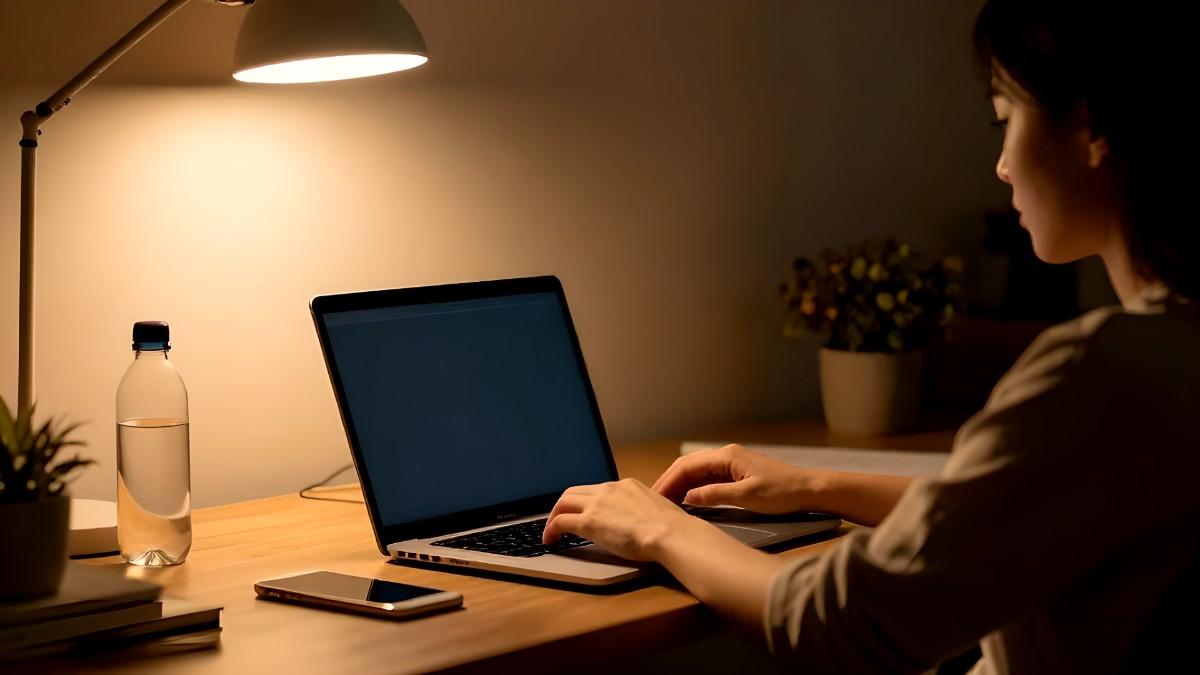
If you want to reduce eye strain from screens, you're already ahead — most people ignore the warning signs until the headaches and dry eyes become a daily problem. Dry eyes, blurry vision, burning, and neck pain after long hours online are not inevitable. They're the result of fixable habits. Small changes to how you sit, how often you blink, and how your screen is set up can cut screen eye strain significantly without spending a cent.
People who work at a computer for long hours often notice tired eyes by the end of the day. The increased use of digital screen devices at work and home has made digital eyestrain far more common than before.
In this guide, you will learn simple ways to prevent digital eye strain, protect your eyes, and create better screen habits.
Digital eye strain happens when your eyes work too hard while using screens. Your eyes constantly focus, adjust, and move while reading text or watching videos. Long screen sessions make these muscles tired. This condition is also called computer vision syndrome.
Digital eyestrain happens because the eyes must constantly refocus while viewing digital screens. Frequent use of phones and computers forces eye muscles to work harder than normal.
Computer users experience visual symptoms like burning eyes, headaches, blurry vision, and trouble with distance vision after using computers for several hours.
Common causes include:
Bright screens
Poor lighting
Sitting too close to screens
Not blinking enough
Long hours without breaks
Wrong screen distance
Small text size
Many people experience eye strain from computer screen time without realizing it.
How do you reduce eye strain from screens? Follow the 20-20-20 rule: every 20 minutes, look at something 20 feet away for 20 seconds. Pair this with proper screen distance (20–28 inches), adjusted brightness, and deliberate blinking. These four changes alone eliminate the majority of digital eye strain symptoms for most screen users.
Symptoms usually appear after long periods of screen use. The common symptoms of eye strain include dry eyes, eye fatigue, blurry vision, headaches, and sensitivity to screen glare. Some people also notice trouble focusing after looking at a computer for long periods.
People blink less while staring at screens. This dries the surface of the eyes. Your eyes may feel sandy, itchy, burning, or watery.
Your eyes struggle to focus after hours of screen use. You may notice blurry text or trouble focusing far away after using devices.
Eye muscles become tired from constant focusing. This triggers headaches around the forehead or behind the eyes.
Poor posture often comes with long screen sessions. Looking down at phones or leaning toward screens strains muscles in the neck and shoulders.
These steps can help reduce screen eye strain naturally.
This is one of the best eye tips for screen users. Every 20 minutes, look at something 20 feet away for at least 20 seconds. This relaxes eye muscles and reduces focusing stress. Eye doctors recommend this rule to prevent digital eye strain. Set a timer on your phone as a reminder it takes two seconds and works.
You should also adjust your screen settings depending on the lighting around you. Bright rooms and dark rooms require different screen settings for comfortable viewing.
Your screen should not be brighter than the room around you. Too much brightness makes eyes work harder. Too little brightness also causes strain.
Lower brightness in dark rooms
Increase brightness in bright rooms
Avoid harsh glare
Use auto-brightness if available
Comfort matters more than maximum brightness.
A screen that is too close increases eye fatigue. Keep your monitor about an arm's length away, around 20 to 28 inches from your eyes. Phones should also stay slightly away from your face. Avoid holding devices very close for long periods.
Experts usually recommend keeping screens about 20 to 28 inches from the eyes for better comfort. Proper screen distance reduces the chance of straining your eyes during long work sessions.
The center of the screen should sit slightly below eye level, while the top of the screen should stay at or just under your natural line of sight.
People blink far less while using screens. Blinking spreads moisture across the eyes. Without enough blinking, dry eye symptoms appear quickly. Try full slow blinks every few minutes. This helps refresh the eye surface naturally.
Some people may also benefit from using a humidifier in dry indoor environments. Dry air can make eye fatigue and irritation worse during extended digital screen use.
If dryness continues, you may need to use eye drops recommended by an eye care professional.
Long nonstop sessions increase screen eye strain fast. Short breaks help your eyes recover.
Stand up every hour
Walk for a few minutes
Stretch your neck and shoulders
Look outside a window
According to the American Optometric Association, people who take regular breaks from screens report significantly less eye discomfort than those who don't even when total screen time stays the same.
Blue light comes from digital screens and LED lighting. Research is ongoing about long-term effects, but many people feel more comfortable after reducing blue light exposure at night.
Use night mode
Enable warm screen settings
Reduce screen brightness at night
Avoid screens before bedtime
Blue light exposure can also disrupt sleep quality, which compounds eye fatigue the following day.
Late-night digital screen use may also affect sleep quality and make tired eyes worse the next morning. Reducing screen exposure before bed may help improve both eye comfort and sleep.
A dark room with a bright screen is especially uncomfortable. Use soft room lighting, avoid overhead glare, keep screens away from windows, and use curtains if sunlight reflects on your display. Balanced lighting helps prevent digital eye strain throughout long work sessions.
Screen glare is one of the biggest causes of eyestrain symptoms during digital screen use. Reducing reflections and improving room lighting can refresh your eyes during long sessions.
If you are working from home, try placing paper next to the screen instead of directly under harsh lighting. This reduces constant brightness changes while reading.
Tiny text makes your eyes strain constantly. Zoom in on websites, increase phone text size, and use larger fonts on computers. Comfortable reading reduces eye fatigue quickly.
Your monitor position affects both eye comfort and posture. The screen should sit slightly below eye level, centered straight ahead, with no glare from lights or windows. A correct setup improves screen eye care and reduces neck pain over long sessions.
Position the screen directly in front of you instead of off to one side. This reduces neck strain and helps your eyes stay comfortable while using a computer.
Many people who work specifically for computer work choose ergonomic monitor stands to improve the height of the screen and overall posture.
Lubricating eye drops may help relieve irritation caused by screen-related dry eyes. Choose preservative-free drops if you use them often. If symptoms continue, talk to an eye doctor.
Many people spend extra hours scrolling without realizing it. Reducing screen exposure helps your eyes rest naturally. Avoid endless scrolling, take offline breaks, read printed books sometimes, and spend more time outdoors. Small changes make a big difference over time. Excessive device usage may worsen dry eyes, headaches, blurred vision, and overall eye fatigue over time.
Healthy nutrition also supports screen eye care. Certain nutrients help protect eye tissues.
Spinach and kale contain lutein and zeaxanthin. These nutrients support healthy vision and may reduce blue light sensitivity.
Salmon and sardines provide omega-3 fats. Omega-3 may help with dry eyes caused by prolonged screen use.
Carrots contain vitamin A, important for eye health. Eggs contain several nutrients that support vision. Oranges and lemons provide vitamin C, which supports healthy eye tissues.
Eye exercises may help relax tired eye muscles. They are simple and free. A simple way to give your eyes a break is to focus on something far away for several seconds between tasks. This helps relax focusing muscles stressed by smartphone screens and computer monitors.
Hold your finger near your face. Focus on it for a few seconds. Then look at something far away. Repeat several times. This relaxes the focusing muscles inside your eyes.
Slowly move your eyes in circles. This may reduce tension and stiffness that builds during extended screen use.
Rub your hands together gently. Place your warm palms over closed eyes for a minute. This feels relaxing and gives your eyes a complete break from light.
In some cases, eye doctors may recommend vision therapy for people with focusing problems linked to prolonged screen work.
Office workers often spend eight or more hours daily on screens. Dr. Jeffrey Anshel, a leading optometrist and founder of the Ocular Nutrition Society, notes that workstation setup is one of the most overlooked factors in eye fatigue among office professionals.
People using computers all day may benefit from glasses or contact lenses designed specifically for computer work. Some eye doctors also recommend glasses or contact lenses that reduce glare during extended digital device use.
Computer glasses may help reduce eye fatigue for people who spend most of the day working on screens.
People who wear daily contact lenses may notice more dryness during extended computer use because screen sessions reduce blinking.
Blocking glasses may help some users who spend long hours viewing digital screens late at night.
Use anti-glare screens
Keep monitors clean
Adjust chair height properly
Take regular eye breaks
Use larger text settings
Healthy screen habits improve productivity alongside eye comfort.
Children now spend more time on tablets and phones than ever before. Their eyes also need protection.
Limit recreational viewing time
Encourage outdoor play
Keep screens farther away
Use larger screens instead of tiny phones
Avoid screens before sleep
Parents should also encourage frequent breaks and model good screen habits themselves.
Some people feel more comfortable wearing blue light glasses. These glasses filter certain wavelengths from screens. Research is mixed, but many users report less discomfort during and after long screen sessions.
Blue light glasses may help if you use screens all day, work late at night, or experience glare sensitivity. They work best alongside healthy screen habits, not instead of them.
The American Academy of Ophthalmology states that blue light from screens is unlikely to cause permanent eye diseases, but reducing screen exposure may still improve comfort and sleep quality.
Sometimes symptoms are not caused only by screen use. See an eye doctor if you have severe headaches, double vision, ongoing blurry vision, eye pain, persistent dry eyes, or symptoms that don't improve with habit changes. An eye exam can rule out other common eye disorders and identify prescription changes that may be increasing your screen fatigue.
A comprehensive eye examination can identify hidden vision problems that increase digital eye strain. Regular eye care visits are especially important for people who spend long hours on computers and phones daily.
Your doctor may recommend treatment options such as updated prescriptions, lubricating drops, or specialized lenses for screen work.
An eye exam is also important if symptoms continue even after improving screen habits.
People with low vision or existing eye conditions may experience stronger symptoms during long periods of digital screen use.
Persistent dryness may also require dry eye treatment recommended by an eye care professional.
Seek immediate care for sudden vision loss, severe pain, or other eye emergencies instead of assuming symptoms are caused only by screens.
Healthy eyes need consistent care. Simple daily routines matter more than occasional fixes.
Take regular eye breaks
Blink often
Use proper screen distance
Adjust monitor brightness
Sleep well
Drink enough water
Limit late-night usage of screens
Take regular breaks, adjust monitor brightness, use proper screen distance, blink more often, and limit nonstop screen time.
Digital eye strain is caused by long periods of screen use, glare, poor lighting, blue light exposure, and reduced blinking.
Yes. Long hours on screens may temporarily cause blurry vision because eye muscles become tired from constant focusing.
Most experts recommend keeping screens about 20 to 28 inches from your eyes.
Some people find blue light glasses helpful, especially during nighttime screen use. They may reduce glare and improve comfort.
Screen use isn't going away. But dry eyes, constant headaches, and blurry vision aren't something you just live with. The habits that reduce eye strain from screens are not complicated, they just require consistency. Start with the 20-20-20 rule today. Set the timer. Look away. If symptoms don't improve within a week of consistent changes, book an eye exam because at that point, you're not dealing with habit problems, you're dealing with a vision problem.
The use of digital devices is now part of daily life for most people. Whether you are using a smartphone, tablet, or laptop, healthy habits can greatly reduce eye fatigue and improve long-term eye care.
Even small changes while using a computer can make a noticeable difference over time.